INTEGRATION HUB

Streamline data management with ProjectMark's Building Connected integration.
Our integration with Building Connected is designed to prevent duplicate data entry, maximize efficiency and foster data driven decision making.

Subcontractors are spending too much time managing opportunities in their Building Connected account and then duplicating this information in their ProjectMark CRM.
This creates major inefficiencies and inconsistent and inaccurate data between platforms.
Data synchronization between platforms. Our integration with Building Connected removes double data entry and ensures real time access to all of your building connected Opportunities within your ProjectMark account.
Any updates made in your Building Connected account immediately take affect withing ProjectMark.
Setting up the integration is simple. We break it down into 4 easy steps:
Sign into your AutoDesk Construction Cloud account and select which ProjectMark modules you’d like to integrate with Building Connected.

Map your Building Connected bid stages to corresponding bid stages in ProjectMark.
.webp)
Map the individual data fields from your Building Connected opportunity to the corresponding data fields within ProjectMark. Only sync the data you want to carry over to ProjectMark.

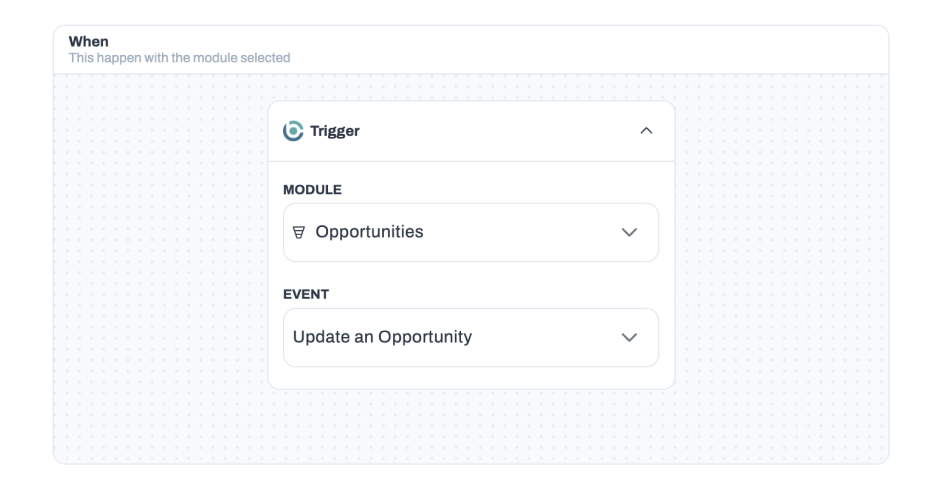
Triggers and actions allow you to control what data flows from Building Connected to ProjectMark and when. Create specific Trigger Events such as when an opportunity is created, and then create corresponding Actions in ProjectMark based on these triggers.